I feel like I am constantly learning information that is new to me when it comes to photography. That is to be expected because, for one thing, I have never taken a photography course, so all of my photography knowledge has come from trial and error and reading. But I am also learning new things because modern cameras are able to do things today that they were not able to do years ago. Sure, the basics are all still there: shutter speeds, f-stops, exposure; but today's cameras are essentially very sophisticated dedicated computers. What they can capture, how they can capture it, and how you can pull and craft the image after capture is just amazing. So I am constantly learning how to best make all of that happen with my camera, and with my flash.
As I mentioned in Session 05, flash photography is probably one of the most frustrating aspects for photographers, and that includes me. Inconsistent and unsatisfactory results are my two biggest problems. Much of the reason for these problems is that locations and conditions change. What worked in one area of the room may not work in another area that is just 15 feet away. Or what I am shooting in one area may be different than what I am shooting 15 feet away. So it is difficult to give tips for shooting flash that will work in all circumstances. Below I will offer some techniques that I use when shooting flash. I would encourage you to try these out, shooting multiple times with different settings and flash position, all in an effort to see what works and what doesn't.
If you have not read Session 05 yet, or it has been awhile, I would encourage you to read it now and then come back to this. For now, I would recommend staying in TTL mode with your flash. If you only have a pop up or built in flash, you will be limited in what you can shoot with that flash, and might consider getting a good external flash. Some pop up flash units do have some flexibility in them. You can't move them, but you might be able to adjust how much flash power is coming out of the flash. Check your camera manual for more info on that. If you are limited to a pop up or built in flash, you will need to be no further than maybe 12-15 feet from your subject for that flash to have any affect. And because the flash is so close to the camera, you have a greater chance for redeye. Bottom line, don't expect super results from a pop up flash. I find them helpful for outdoor photography though when you need a bit of fill in flash (more on that in a later post). The tips below are geared for external flash units.
Probably the least flattering light you can use comes from placing the external flash on the camera and pointing the flash head straight toward your subject, so you want to find ways to provide additional light to the subject without pointing the flash directly toward the subject from the camera. One way to do that is to use a flash bracket. A bracket will elevate your flash a short distance above the camera. This separation gives a better result than having the flash directly on the camera, simply by putting the light on a different plane than the camera. But there are two problems with using a bracket: 1) they are cumbersome to carry around, and 2) they can still produce a shadow, depending on how far your subject is to a wall or other object behind them. I used to use a bracket all the time when shooting film. I just don't see the need for most cases anymore.
Probably the best way to modify your flash is to bounce it. There are basically two ways to bounce a flash that is attached to the flash shoe on your camera: 1) using some kind of flash modifier, or 2) aiming the flash toward a wall, ceiling, or some other kind of object. A flash modifier is a piece of equipment that attaches to your flash head. It could be as simple as a piece of paper, or a translucent molded plastic, or some kind of fabric. If you are not using a plastic "dome" of some kind, you usually want to use something that is white. Some people will use a white card, attached to the flash with a rubber band. The flash is pointed up toward the ceiling, with the card on one side of the flash (away from your subject). When the flash goes off, the light bounces off the ceiling and then back down toward your subject. Some of that light is also bounced off the white card and toward the subject. That is basically the whole concept of bounced flash: the light from the flash is bounced off a larger area and then back toward the subject, wrapping the subject with a softer light.
If I am in a room with a low white ceiling, I will usually bounce the flash toward the ceiling. If I am close to a white wall I might choose to bounce the flash off of that wall. Sometimes I might be in a room with pillars in the room, so I will stand near that pillar and try to bounce the flash off of it. If I am in a room with high ceilings or a dark ceiling, I will rely on some kind of modifier on the flash, usually a small plastic modifier.
Keep this in mind, anytime you use a modifier or bounce your flash you are diffusing the light; or in other words, you are throwing less light onto your subject. With TTL your camera and flash will try to throw out more light in order to illuminate your subject. This will potentially drain your flash batteries quicker or take longer for the batteries to bounce back between images. Or you might need to play around with your shutter speed and f-stop in order to pull in more ambient light so the flash is not carrying the full load. Or you can adjust the flash exposure compensation (see flash manual).
The whole point of this tutorial is not to give a full blown instruction manual on flash photography. My main objective to get you thinking about how to use your camera and your flash in ways that you maybe have not tried before. Most people throw a flash on their camera, point it straight ahead, and go at it. Others point their flash in all kinds of directions because they see other people doing it, but they have no idea where or why they are pointing the flash in that direction. To me it is amazing how much light gets transmitted toward the subject when you bounce the flash correctly. The best thing you can do is think it through, visualizing how the light will behave if you point it in one direction versus another direction.
I would recommend googling "flash modifiers" and looking through some of the other articles and products that are out there. One word of caution: I have a bag full of modifiers that I have bought over the years, thinking each one was THE one. In the end I end up not using any of them all that often, usually going back to the plastic dome that came with my flash (Nikon sb900). Generally speaking though, I like the Lumiquest products.
Wednesday, May 12, 2010
Saturday, May 8, 2010
Nathan & Ashley at Whitehall Manor, Bluemont Virginia
Here are a few initial images from Nathan and Ashley's May 7 wedding at Whitehall Manor. The weather was spectacular and it was great reconnecting with some grads from Loudoun County High School. Click on image to enlarge.


Sunday, May 2, 2010
Sam & Kerry At Murray Hill in Leesburg
Saturday May 1 was a great day for a wedding, that is if you were Sam and Kerry. The weather was nice, the lighting great, and Murray Hill was the perfect location. From a photographic perspective, I have recently concluded that the best sites are ones with a variety of natural backdrops and locations for photos. This was my first experience at Murray Hill and really enjoyed discovering spots around the property that made for great shots. I probably wore Sam and Kerry out. Fortunately they were more than game. Here are a few images I grabbed from the batch. Many, many more to come. Click on image to enlarge.


Progressives
Paul Kengor of Grove City College is one of my favorite writers. This article on progressives is must reading.
"Here is the essence of the problem with progressives and their movement, which is a gigantic problem for all of America: One of the only things we really know about progressives, and that they know about themselves and their ideology, is that they favor constant "change," "reform," an ever-shifting, ongoing "evolution," or, yes, progression. And therein is an inherent, significant difficulty: progressivism offers no clear, definable end. The goal-post is always moving, forever pushed further away. Ends are never ends; they always "progress," with culture and society -- all along relying on the ludicrous assumption that the changes are always (or largely) good."
"Here is the essence of the problem with progressives and their movement, which is a gigantic problem for all of America: One of the only things we really know about progressives, and that they know about themselves and their ideology, is that they favor constant "change," "reform," an ever-shifting, ongoing "evolution," or, yes, progression. And therein is an inherent, significant difficulty: progressivism offers no clear, definable end. The goal-post is always moving, forever pushed further away. Ends are never ends; they always "progress," with culture and society -- all along relying on the ludicrous assumption that the changes are always (or largely) good."
Tuesday, April 27, 2010
Bermuda Trip
I just got back from spending a week in Bermuda on a photo shoot with long time client Cort Furniture. This is a fun trip for their top sales people. I've been fortunate to be included in all 18 of their trips over the years. Bermuda is beautiful. It was pretty windy while we were there, but it never rained.


Sunday, April 18, 2010
Ben & Courtney at Whitehall Manor
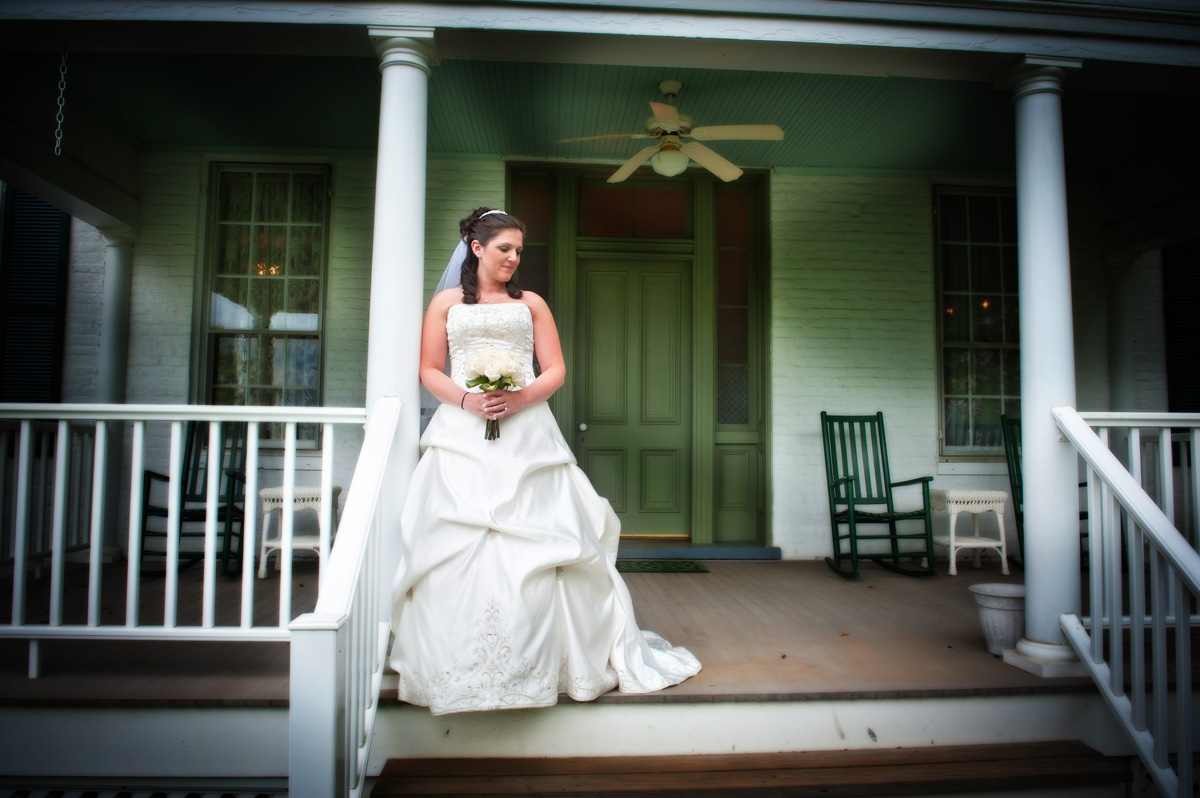
I had the honor of photographing Ben and Courtney's wedding at Whitehall Manor in Bluemont, Virginia on Friday, April 16. One of the side benefits of shooting weddings in Loudoun is the chance to run into people I have gotten to know over the years. This wedding in particular seemed to pull together a lot of familiar faces. It started to rain right as the 6:00 pm outdoor ceremony began. Fortunately Ben and Courtney had decided to do all the images of the two of them together prior to the ceremony. Not only did it seem to relax both of them doing it this way, but it turned out that decision saved the photos as well. No way we could have done anything outdoor after the ceremony. By 6:30 it was too dark and too wet. These are a few initial images. Many more to come. Double click on the image to enlarge it.




Saturday, April 17, 2010
Taxing The Rich
On the news the other day, there was a report about the 50% of Americans who do not pay any federal income tax. One of the "experts" in the report remarked that he was less concerned about the 50% who do not pay any tax and more worried about the people who are making twice what they made a few years ago, but are paying taxes at a lower rate than they were a few years ago. I took that thought and plugged in some numbers. Say you made $500,000 a year three years ago and paid federal taxes at a rate of 40%. That would be $200,000 in taxes. Three years later you are now making $1 million a year, twice as much as 3 years before. Today let's say you are paying at a rate of 35%, totaling $350,000 in taxes. So three years ago you paid $200,000 and today you are paying $350,000. Yes, you are paying at a lower rate, but you are paying $150,000 more in taxes. That is a substantial increase of revenue for the federal government. In the words of Barack Obama, you would think they would be thankful; after all, they did not have to do anything. You did all the hard work, you were the one who doubled your income.
This is the slight of hand that pundits and experts use to shift the discussion in their favor. This is how they demonize the rich. And this is the same game that Obama plays. He can only save us if there is monster hiding behind a tree, so he spends his days inventing new monsters: big business, lobbyists, tea party supporters, George Bush, special interests, good tasting food, financial institutions, insurance companies, doctors, and yes . . the rich. The great unifier? Hardly. Obama, seeing himself as both savior and great leader, believes he is unifying the country against these monsters. He alone can slay them, cut them down in size, bringing equity to all. Is it possible that Obama will ultimately destroy the foundation of our country in his quest for this victory? Let's hope the will of the people, which in most cases opposes the Obama agenda, will ultimately be heard. Otherwise we are in big trouble.
This is the slight of hand that pundits and experts use to shift the discussion in their favor. This is how they demonize the rich. And this is the same game that Obama plays. He can only save us if there is monster hiding behind a tree, so he spends his days inventing new monsters: big business, lobbyists, tea party supporters, George Bush, special interests, good tasting food, financial institutions, insurance companies, doctors, and yes . . the rich. The great unifier? Hardly. Obama, seeing himself as both savior and great leader, believes he is unifying the country against these monsters. He alone can slay them, cut them down in size, bringing equity to all. Is it possible that Obama will ultimately destroy the foundation of our country in his quest for this victory? Let's hope the will of the people, which in most cases opposes the Obama agenda, will ultimately be heard. Otherwise we are in big trouble.
Wednesday, April 14, 2010
Austen and Jessica's Wedding: Capitol Hill and Indigo Landing


Friday, April 9, 2010
Do Wealthy Liberals Use Tax Advisors?
You have probably noticed that there is a large amount of high power, extremely wealthy artists who are deeply committed to liberal causes. Many of these causes are private, supporting non-governmental organizations that largely do good things throughout the world. But it seems clear that these artists are also pushing for a larger role for the federal government in our lives. Nationalized health care, more federal money poured into charitable causes like cancer research, disaster relief, education, serving the poor. All of these are good causes, the question is whether federal funds should be looked at as the principle source of funding. Increasing federal funding on anything translates into a need for higher taxes, unless Congress reduces funding somewhere else, which never happens. So when these artists ask for more federal funding for their favorite cause, especially when that cause is something extremely expensive like health care for all, they are basically asking Congress to increase their taxes. And this has been what Obama and democrats in Congress have been saying all along . . we are going to increase taxes on the rich, including these artists.
So here is my question: do these liberal artists have tax advisors preparing their tax returns? I ask this question for this reason: most people who hire a tax advisor to prepare their returns are looking for someone who will minimize their tax obligations. By establishing foundations, investing in certain commodities, shifting money into different accounts, and then taking advantage of all the various deductions and tax breaks available, tax advisors are making sure that their client (the artist) is paying the least amount of taxes possible. But why do this if you trust the federal government with your money? If you are calling for the federal government to take more of our money in order to fund projects that you believe only the federal government is capable of managing and funding, why hold back your own funds?
I have no idea what these artists think when it comes to how much taxes they pay each year. Do they sit around and complain about it like most other people do? Do they go to great lengths to protect their money from taxation? Or are they cheerfully handing it over to the government, believing it will do the most good in the hands of Congress rather than in the hands of a charitable organization? Do these artists, and other very wealthy people, who publicly say to the government that they should be taxed more . . do they now willingly give more to the government than they are required? I'm just wondering.
So here is my question: do these liberal artists have tax advisors preparing their tax returns? I ask this question for this reason: most people who hire a tax advisor to prepare their returns are looking for someone who will minimize their tax obligations. By establishing foundations, investing in certain commodities, shifting money into different accounts, and then taking advantage of all the various deductions and tax breaks available, tax advisors are making sure that their client (the artist) is paying the least amount of taxes possible. But why do this if you trust the federal government with your money? If you are calling for the federal government to take more of our money in order to fund projects that you believe only the federal government is capable of managing and funding, why hold back your own funds?
I have no idea what these artists think when it comes to how much taxes they pay each year. Do they sit around and complain about it like most other people do? Do they go to great lengths to protect their money from taxation? Or are they cheerfully handing it over to the government, believing it will do the most good in the hands of Congress rather than in the hands of a charitable organization? Do these artists, and other very wealthy people, who publicly say to the government that they should be taxed more . . do they now willingly give more to the government than they are required? I'm just wondering.
Thursday, April 8, 2010
Photography 101: Session 05
Flash Photography
(Macworld must be reading my mind. This session is dealing with flash photography, and right in time Macworld online posted an article dealing with the same subject. I would encourage you to read it, but I will go over some of the things they mention in my own article below.)
Probably nothing is more confusing and frustrating for photographers, even the most seasoned ones, than flash photography. When to use it, how to use it, how to make it look natural, how to get the most out of your flash . . these are the things that fill volumes of books and pack expensive seminars and workshops. All of that to say that if you are looking for quick easy ways to master flash photography, that just won't happen. You have to experiment over and over again, in different environments and conditions, mindful of what you are doing each time. There is a big gap between reading and watching how to do it versus actually going out and putting it into practice. Nothing beats practice and just playing around. The nice thing with digital and on camera monitors is that you can instantly see what is happening with each shot, making adjustments as you go. So practice. I will give you a few hints below, some which are also covered in the Macworld article I mentioned above. But you will have to go out in the field and practice using some of these techniques in order to see for yourself what works and what doesn't.
First of all, when it comes to using flash indoors, I always shoot with the camera in manual mode (as opposed to aperture or shutter priority, or auto. Manual mode gives you much more control over the shutter and the aperture. Typically I will set the aperture somewhere between the largest aperture (2.8 on most of my lenses). I want the most light possible to come through the lens. Usually the smallest aperture I will use is 5.6. I'll opt for 5.6 over the 2.8 when I am shooting group shots or if I have the ISO cranked up.
Secondly, in most cases you will want your flash to be set to "ttl" or "i-ttl". TTL stands for "through the lens". Basically your camera is determining the proper exposure based on the light coming through the lens. This includes the light coming from the flash. With TTL, your camera will moderate how much light is being emitted from the flash. Generally speaking, TTL is pretty accurate, so in most cases that is what you want to use. There are occasions where it is best to set flash to manual for more control, but for introductory purposes, leave it at TTL.
Shutter speed is where you can really change the affect of flash photography. I will typically shoot with my shutter speed set at around 60 or 90 for my longer lenses, and at about 30 or 60 with my wider angle lenses. The slower your shutter speed, the more ambient light you are allowing to affect the image; but the slower the shutter speed, the more blur you will get in your image. With flash however, you can freeze movement within that blur. Without getting too technical, the light coming from your flash unit comes with a burst that lasts something like 1/100,000 of a second. That is a lot quicker than your shutter speed of let's say 1/15 of a second. So at 1/15 of a second, your image is pulling in ambient light (and possibly blur, depending on how much movement there is), but the flash will take place during only a fraction of that 1/15 time, freezing whatever movement was taking place in that 1/100,000 timeframe.
I know this might sound confusing, which is why you need to experiment for yourself to see how just changing your shutter speed will affect your flash images. Just keep this in mind: the slower your shutter speed, the more ambient light is being used. You know how your flash images can look really dark in the background, while everything close to you is brightly lit. If you shoot with a fast shutter speed, you are relying on your flash to completely light the scene. Your flash will only light so much. By using a slower shutter speed, you are letting more ambient light affect the scene, so your background will start to show up, not because it is being lit by the flash, but because of the ambient light.
So set your camera to manual mode, set your aperture to something like f4 or f5.6, then play with your shutter speed between 1/125 all the way down to maybe 1/10 of a second. Try it with subjects that are fairly stationary versus subjects that are moving. Maybe experiment as well with your ISO as well. Try it at 200, then 400, then 800, then at 1600.
On more setting your camera might have (see you camera manual for this) for flash photography is something called "rear curtain". By default your camera is usually set with this turned off. When off, when you shoot with flash, the flash goes off at the beginning of the exposure. That 1/100,000 flash will happen during the first part of the 1/60 of a second exposure, freezing any movement before the movement takes place. With rear curtain, the flash is emitted at the end of the exposure, or at the end of the movement. For most images, this is a more natural looking effect. I keep my setting at rear curtain all the time.
Next session will go over some techniques that will help give you more natural flash lighting.
(Macworld must be reading my mind. This session is dealing with flash photography, and right in time Macworld online posted an article dealing with the same subject. I would encourage you to read it, but I will go over some of the things they mention in my own article below.)
Probably nothing is more confusing and frustrating for photographers, even the most seasoned ones, than flash photography. When to use it, how to use it, how to make it look natural, how to get the most out of your flash . . these are the things that fill volumes of books and pack expensive seminars and workshops. All of that to say that if you are looking for quick easy ways to master flash photography, that just won't happen. You have to experiment over and over again, in different environments and conditions, mindful of what you are doing each time. There is a big gap between reading and watching how to do it versus actually going out and putting it into practice. Nothing beats practice and just playing around. The nice thing with digital and on camera monitors is that you can instantly see what is happening with each shot, making adjustments as you go. So practice. I will give you a few hints below, some which are also covered in the Macworld article I mentioned above. But you will have to go out in the field and practice using some of these techniques in order to see for yourself what works and what doesn't.
First of all, when it comes to using flash indoors, I always shoot with the camera in manual mode (as opposed to aperture or shutter priority, or auto. Manual mode gives you much more control over the shutter and the aperture. Typically I will set the aperture somewhere between the largest aperture (2.8 on most of my lenses). I want the most light possible to come through the lens. Usually the smallest aperture I will use is 5.6. I'll opt for 5.6 over the 2.8 when I am shooting group shots or if I have the ISO cranked up.
Secondly, in most cases you will want your flash to be set to "ttl" or "i-ttl". TTL stands for "through the lens". Basically your camera is determining the proper exposure based on the light coming through the lens. This includes the light coming from the flash. With TTL, your camera will moderate how much light is being emitted from the flash. Generally speaking, TTL is pretty accurate, so in most cases that is what you want to use. There are occasions where it is best to set flash to manual for more control, but for introductory purposes, leave it at TTL.
Shutter speed is where you can really change the affect of flash photography. I will typically shoot with my shutter speed set at around 60 or 90 for my longer lenses, and at about 30 or 60 with my wider angle lenses. The slower your shutter speed, the more ambient light you are allowing to affect the image; but the slower the shutter speed, the more blur you will get in your image. With flash however, you can freeze movement within that blur. Without getting too technical, the light coming from your flash unit comes with a burst that lasts something like 1/100,000 of a second. That is a lot quicker than your shutter speed of let's say 1/15 of a second. So at 1/15 of a second, your image is pulling in ambient light (and possibly blur, depending on how much movement there is), but the flash will take place during only a fraction of that 1/15 time, freezing whatever movement was taking place in that 1/100,000 timeframe.
I know this might sound confusing, which is why you need to experiment for yourself to see how just changing your shutter speed will affect your flash images. Just keep this in mind: the slower your shutter speed, the more ambient light is being used. You know how your flash images can look really dark in the background, while everything close to you is brightly lit. If you shoot with a fast shutter speed, you are relying on your flash to completely light the scene. Your flash will only light so much. By using a slower shutter speed, you are letting more ambient light affect the scene, so your background will start to show up, not because it is being lit by the flash, but because of the ambient light.
So set your camera to manual mode, set your aperture to something like f4 or f5.6, then play with your shutter speed between 1/125 all the way down to maybe 1/10 of a second. Try it with subjects that are fairly stationary versus subjects that are moving. Maybe experiment as well with your ISO as well. Try it at 200, then 400, then 800, then at 1600.
On more setting your camera might have (see you camera manual for this) for flash photography is something called "rear curtain". By default your camera is usually set with this turned off. When off, when you shoot with flash, the flash goes off at the beginning of the exposure. That 1/100,000 flash will happen during the first part of the 1/60 of a second exposure, freezing any movement before the movement takes place. With rear curtain, the flash is emitted at the end of the exposure, or at the end of the movement. For most images, this is a more natural looking effect. I keep my setting at rear curtain all the time.
Next session will go over some techniques that will help give you more natural flash lighting.
Subscribe to:
Posts (Atom)